Skip to content

InspectoInspect UI from your browser.

Inspecto is a browser-first frontend workflow for source lookup and automated AI handoff. Inspect one component, annotate a batch, or jump to source to reduce browser-to-editor context switching.

Inspecto Logo

See It in Action

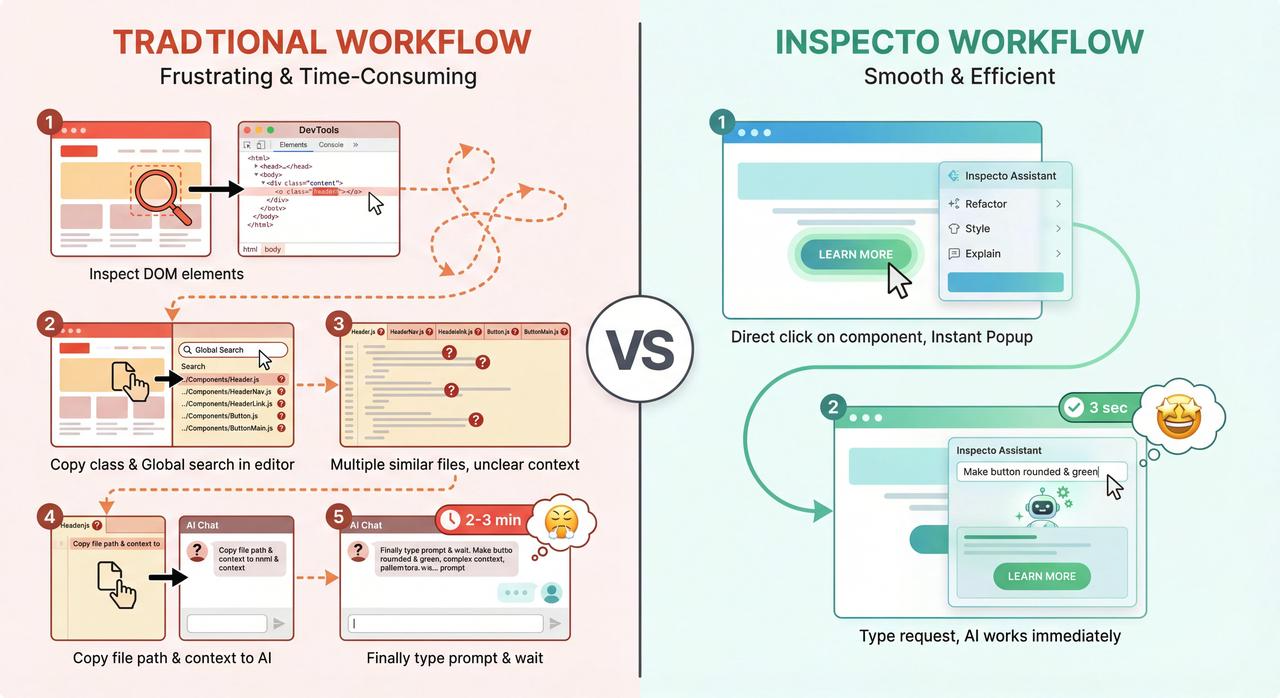
Why Inspecto?

Traditional vs Inspecto Workflow

See the Three Workflows

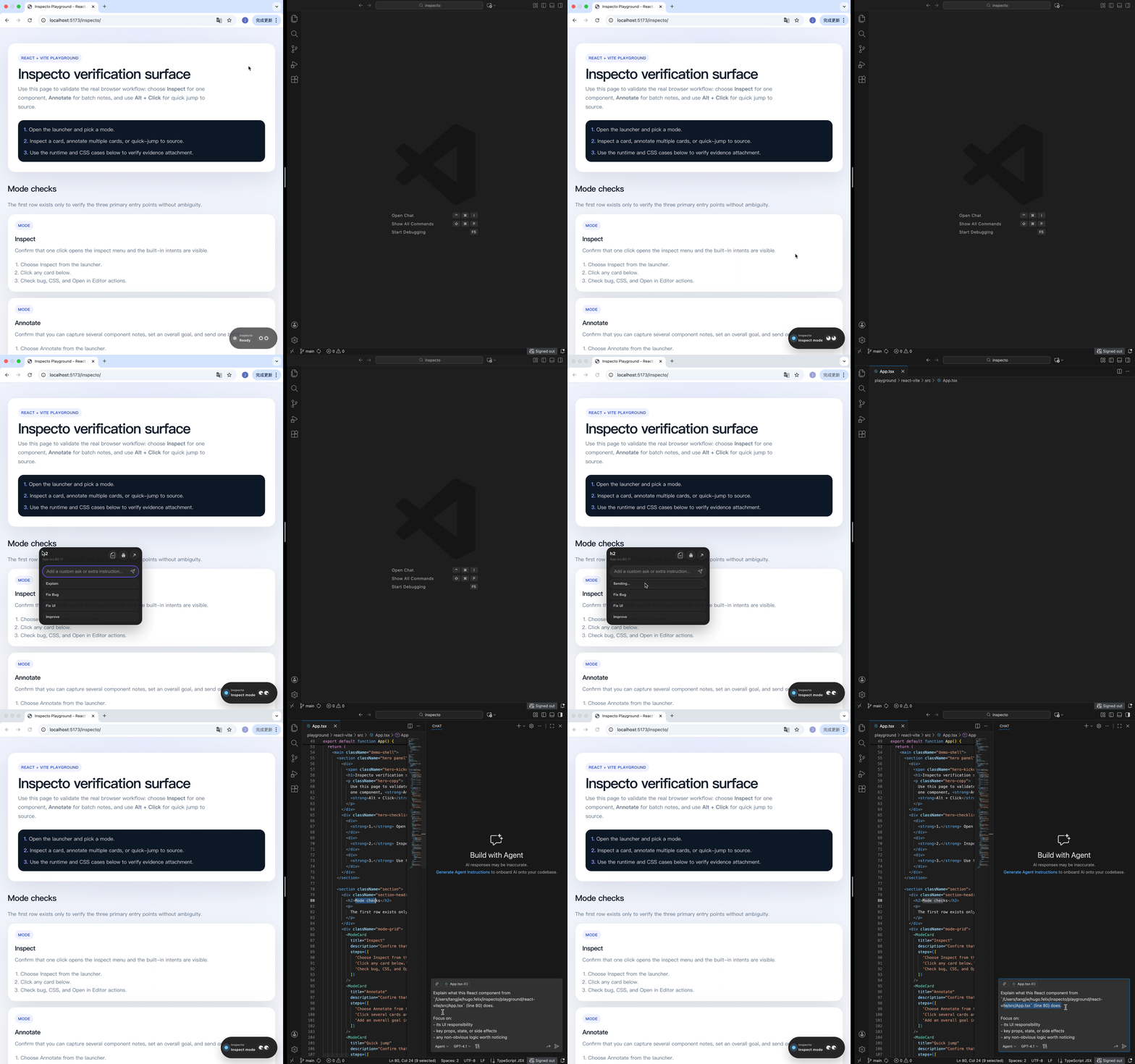
1 Component + AIOpen SourceBrowserAI AssistantSource code
Inspect mode workflow

Inspect mode

Inspect a single component, automatically attach the right context, and ask AI instantly.
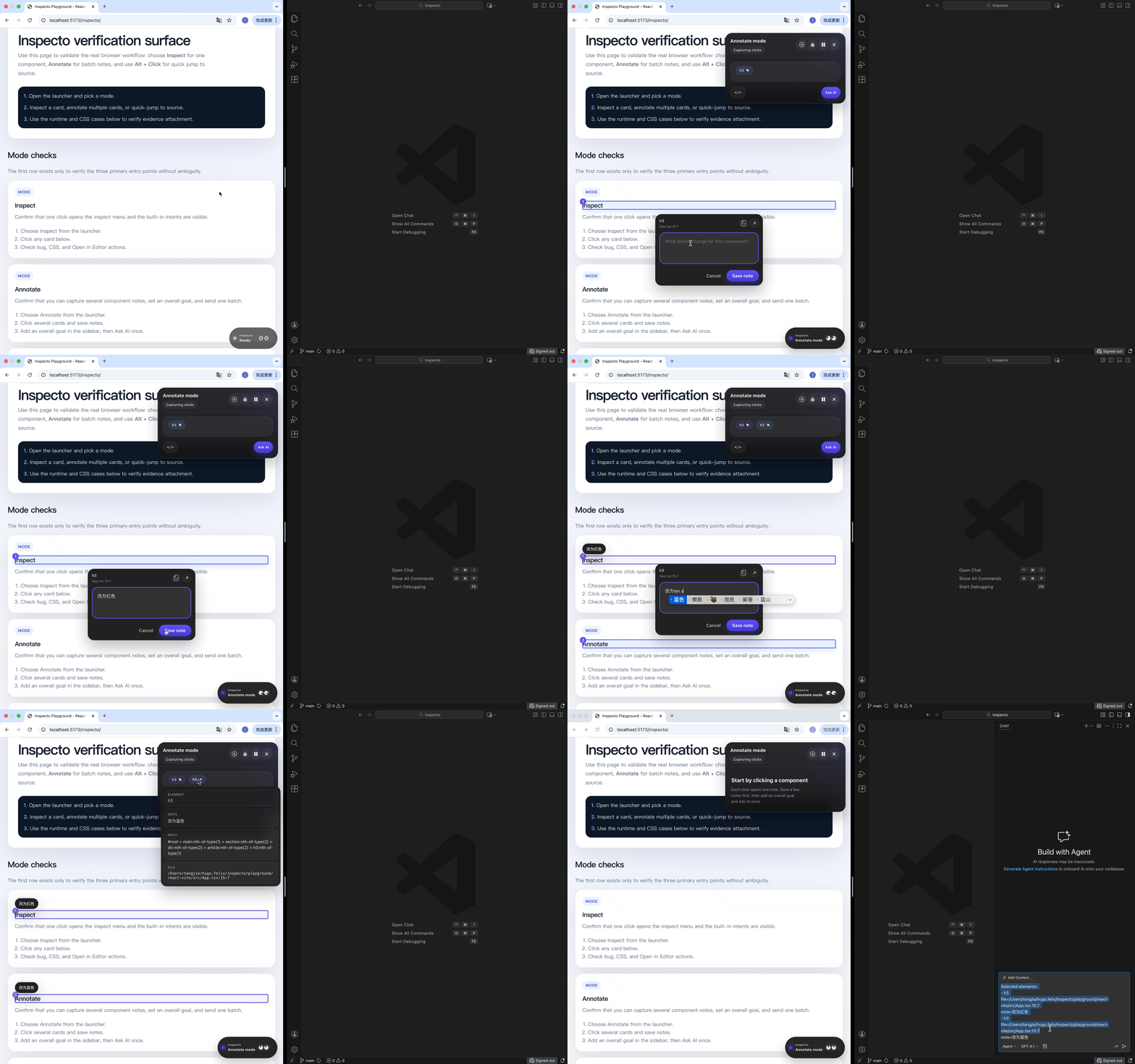
Annotate mode workflow

Annotate mode

Select multiple UI notes across components, add one overall goal, and send them as a single batch to AI.
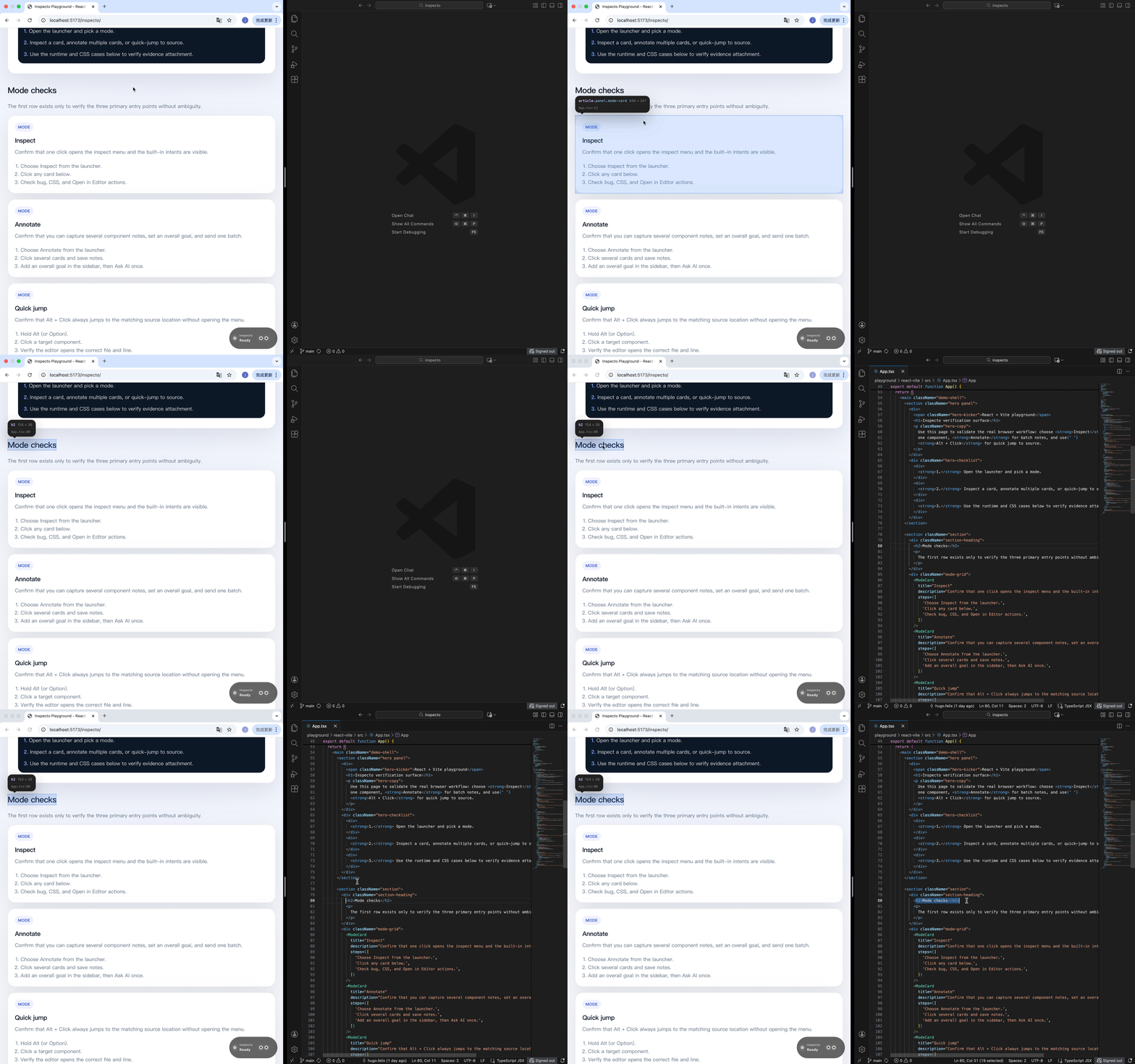
Quick jump workflow

Quick jump

Hold Alt + Click on any element to instantly open the exact source location, skipping manual search.
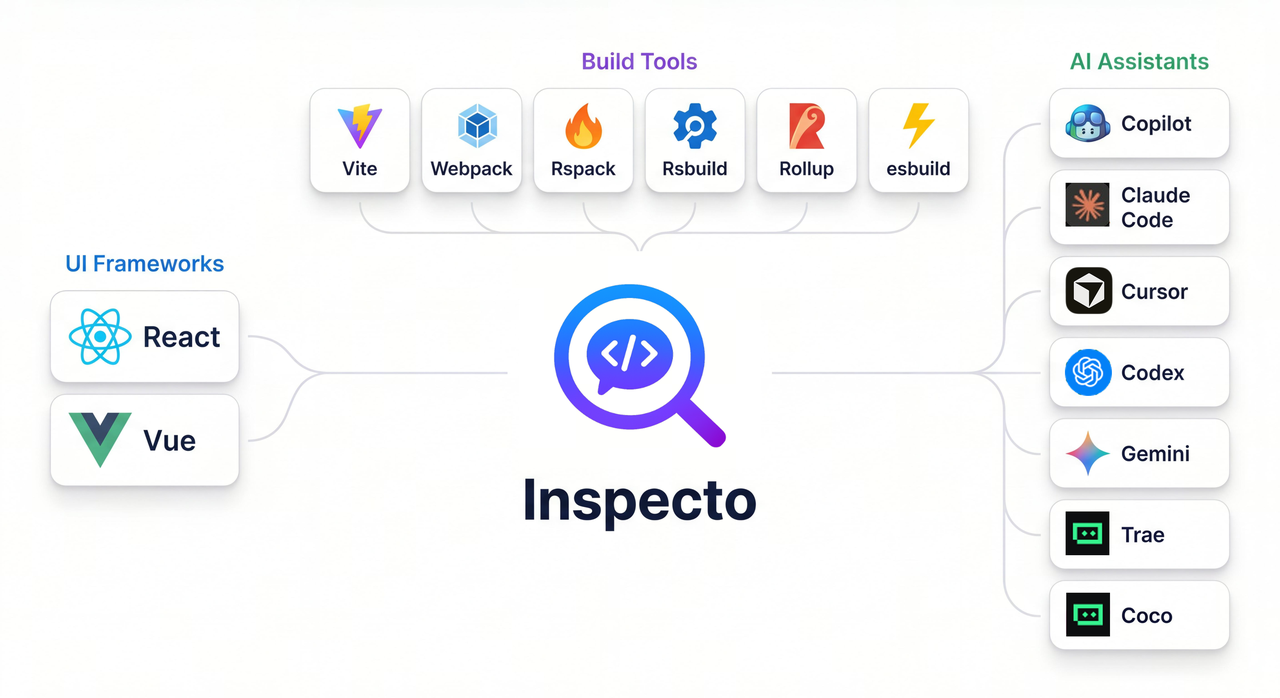
Ecosystem

Inspecto Ecosystem and Integrations

Use Inspecto when...

  • the issue is already visible in the browser
  • you want the shortest path to source or AI
  • you are tired of copying snippets between tools
  • you need accurate context without manual lookup

Fastest path

  1. Navigate to your project root (most integrations are installed per-project).
  2. Install the integration matching your assistant.
  3. Wait for onboarding to open in your IDE.
  4. Only if onboarding does not open, send Set up Inspecto in this project manually.

Released under the MIT License.